
Human in the loop
Approval is part of the design
MCP or SDK
Connect the agent to the notific.me MCP server, or call ask() from your code. There is no approval screen for you to build.
Options, not only yes or no
Approve, deny, pick one of several options or answer in text. The person steers the agent instead of only stopping it.
A default when nobody answers
Every request has a deadline and the answer to apply when it runs out, such as deny.
Proof of who authorized
The verification level is set per request, and the reply records who answered and how.
In the inbox
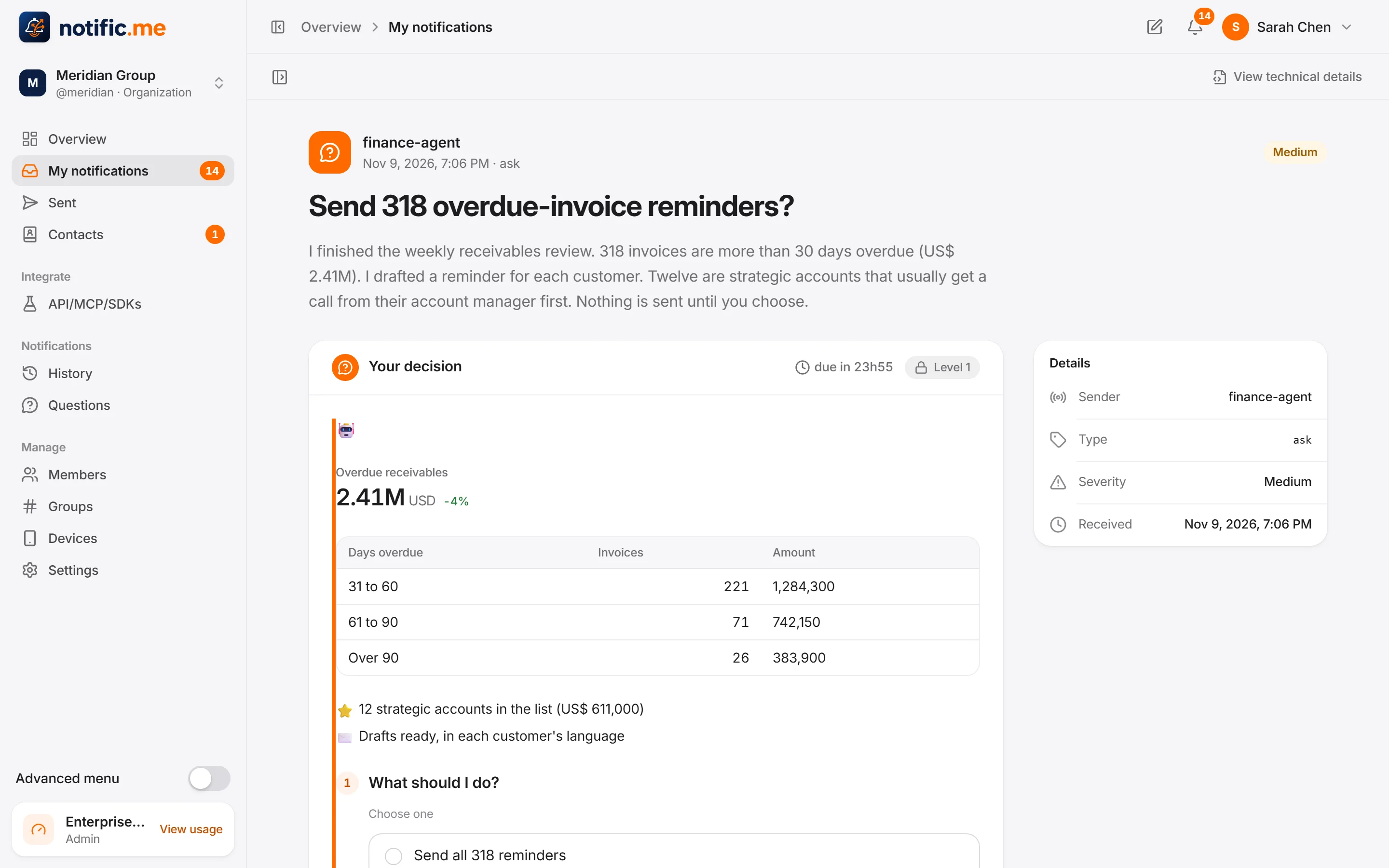
The agent explains, the person chooses
The request arrives with what the agent found and the options it proposes.
For the model
An answer made to be read by an agent
Answers come back typed by question, free text is marked as written by a human so the agent treats it as data, and asText gives a summary ready to read.
const r = await notific.ask({
  to: "sarah",
  title: "Agent wants to delete 340 duplicate records",
  context: "The CRM cleanup agent found 340 contacts duplicated by e-mail.",
  questions: [
    { id: "action", type: "single", text: "What should we do?",
      options: ["Approve", "Only the first 10", "Deny"], allowOther: true },
  ],
  level: 2,
  timeout: "30m",
  onTimeout: { action: "Deny" },
});

console.log(r.asText); // natural-language summary, ready for an AI agent
npm install @notificme/sdkpip install notificmeRead the docs
Personal use
For your own assistants too
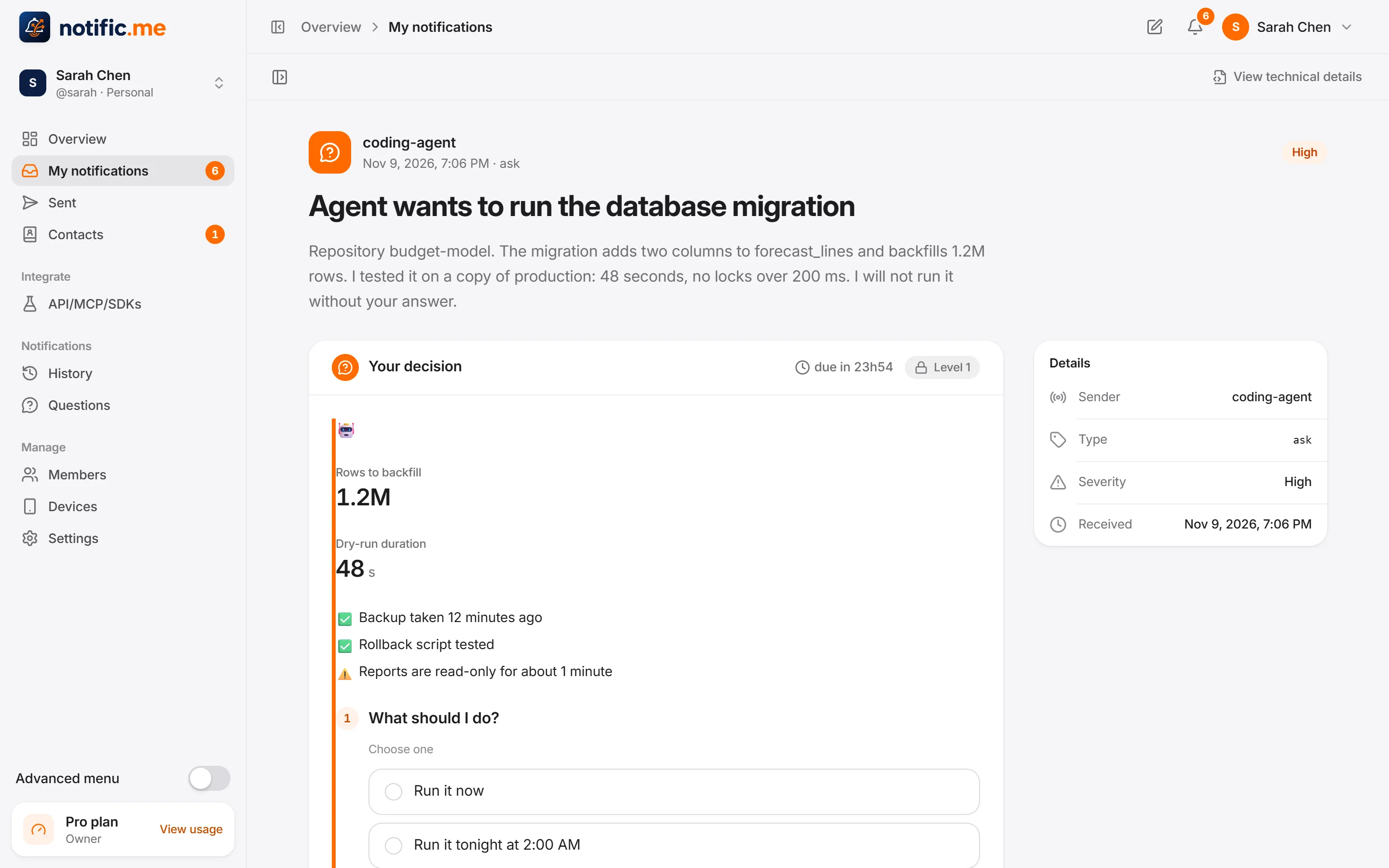
A coding agent asks before running a migration. An assistant asks which flight to book. The same inbox, on your phone.
Be among the first teams to use it
Tell us what you want to unlock. It helps us decide who to invite first.