
 notific.me
The problem
Decisions should not live in e-mail threads
An approval by e-mail or chat gets buried, proves little and changes nothing by itself. Someone still has to go and do the next step.
Today
- The request sits in an inbox, between newsletters.
- “Ok, approved” in a thread: no proof of who, when or what exactly.
- Nobody is sure who is allowed to approve what.
- After the ok, someone copies the answer into another system.
With notific.me
- The request arrives on the phone with context and the options at hand.
- The answer is signed and recorded: who, when and how they proved it.
- Groups and authority levels say who can decide.
- The answer goes back to whoever asked and the work carries on.
The product
See it working in a real company
Screens from the web app with a demo company: finance, procurement, legal, compliance and a board, each with its own authority levels.
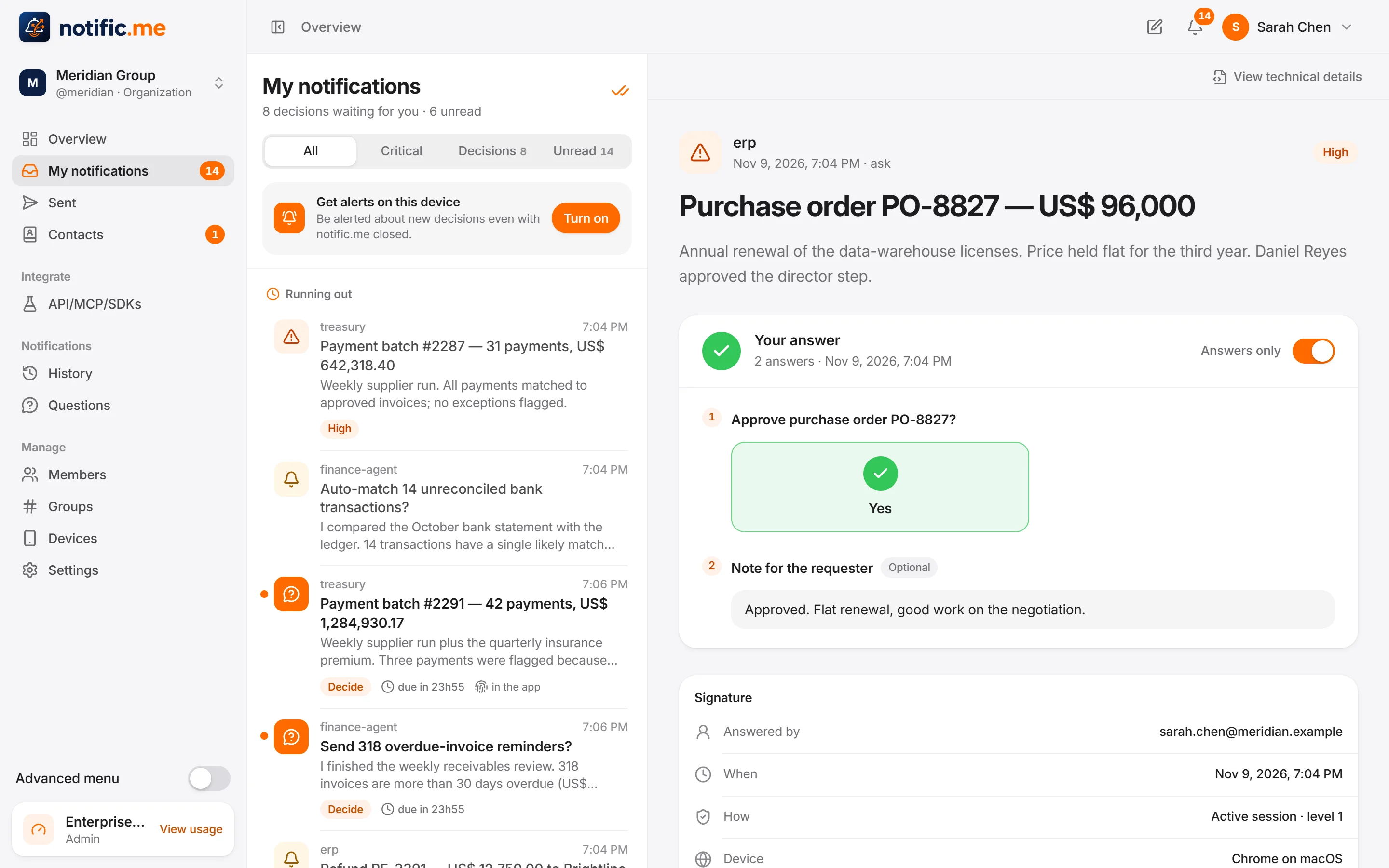
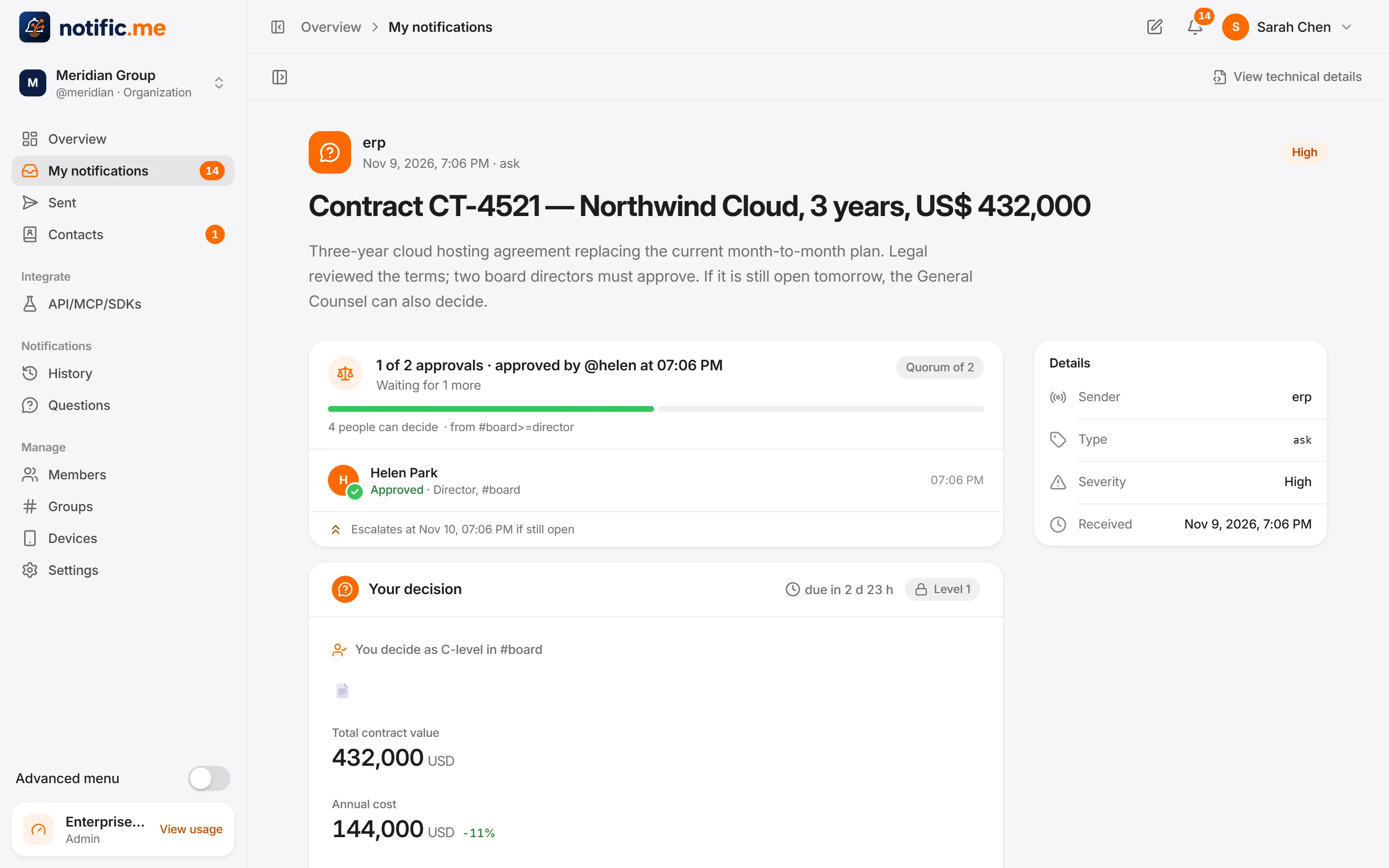
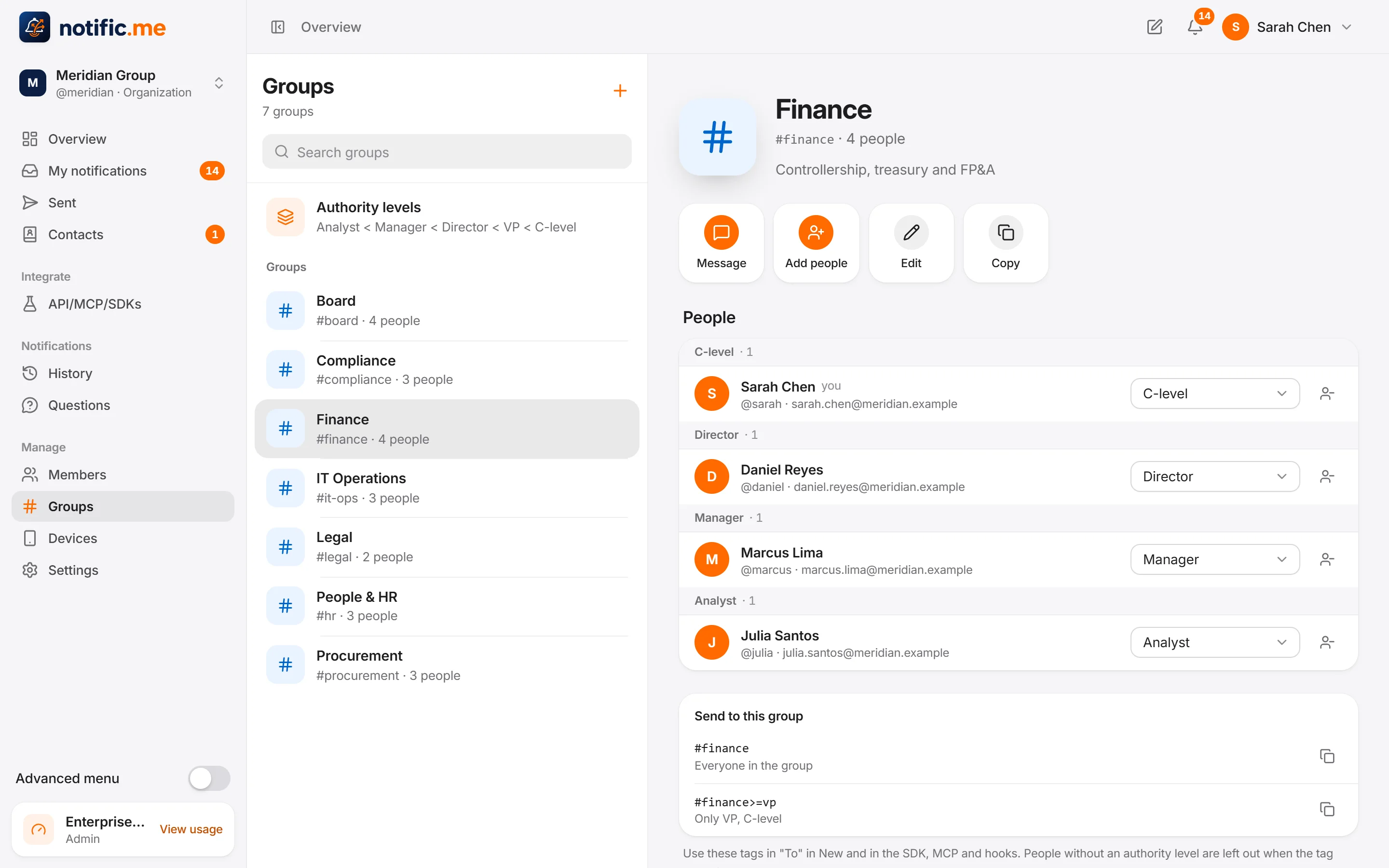
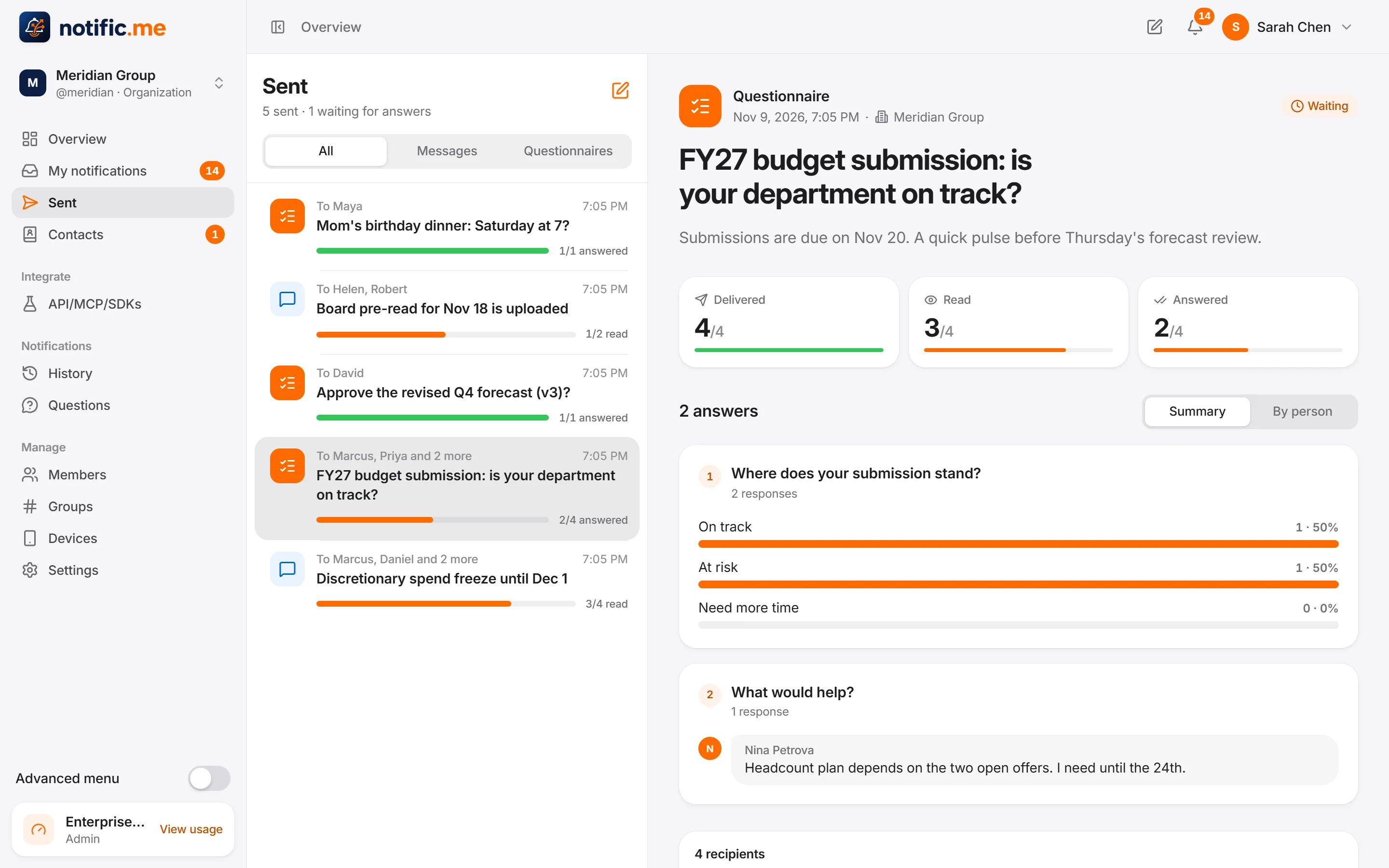
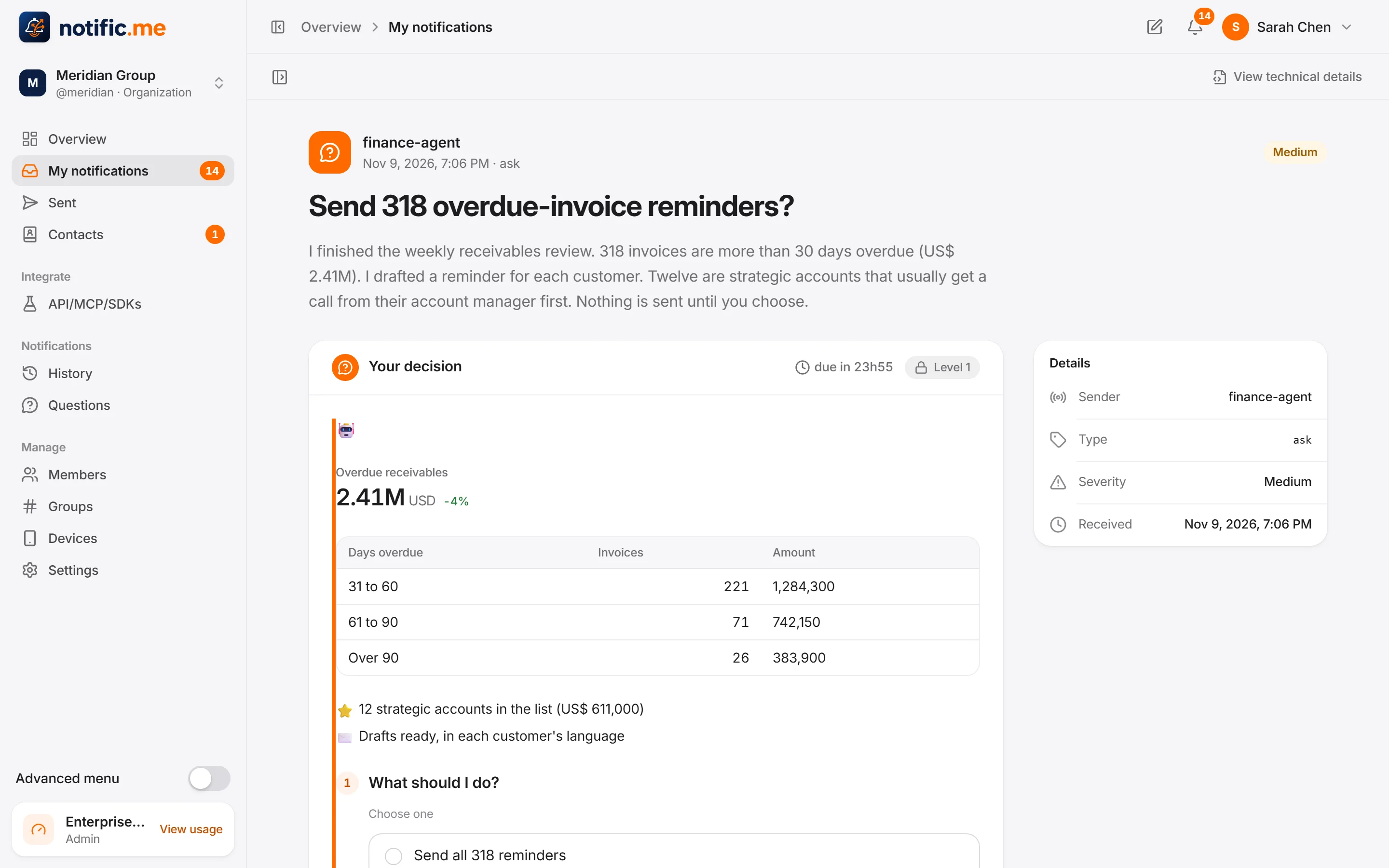
Demo data. The interface is available in English, Portuguese and Spanish.
On the phone
Decide wherever you are
The same requests in the Android app, with the context on screen and the options at hand.
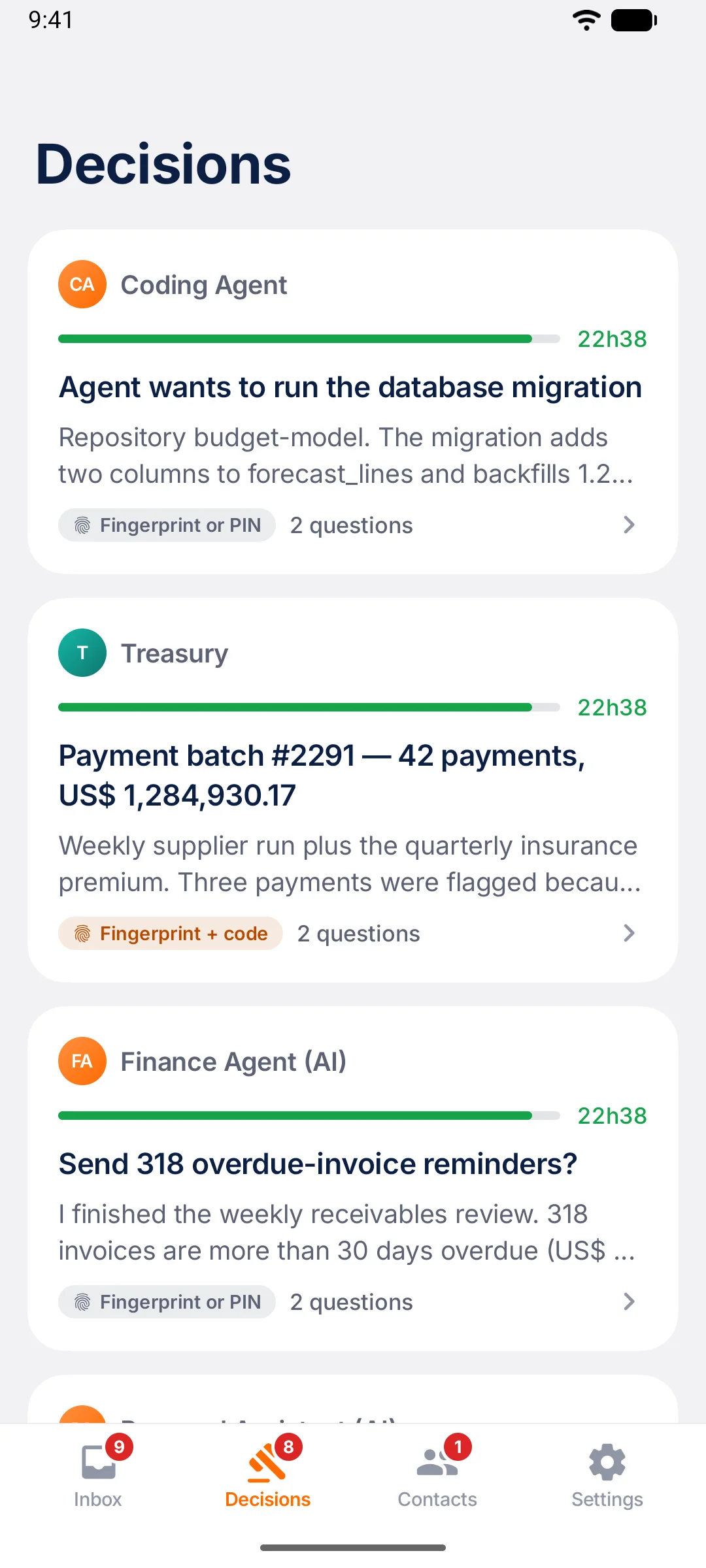
What is waiting for you
Every open decision with its deadline and the proof it will ask for.
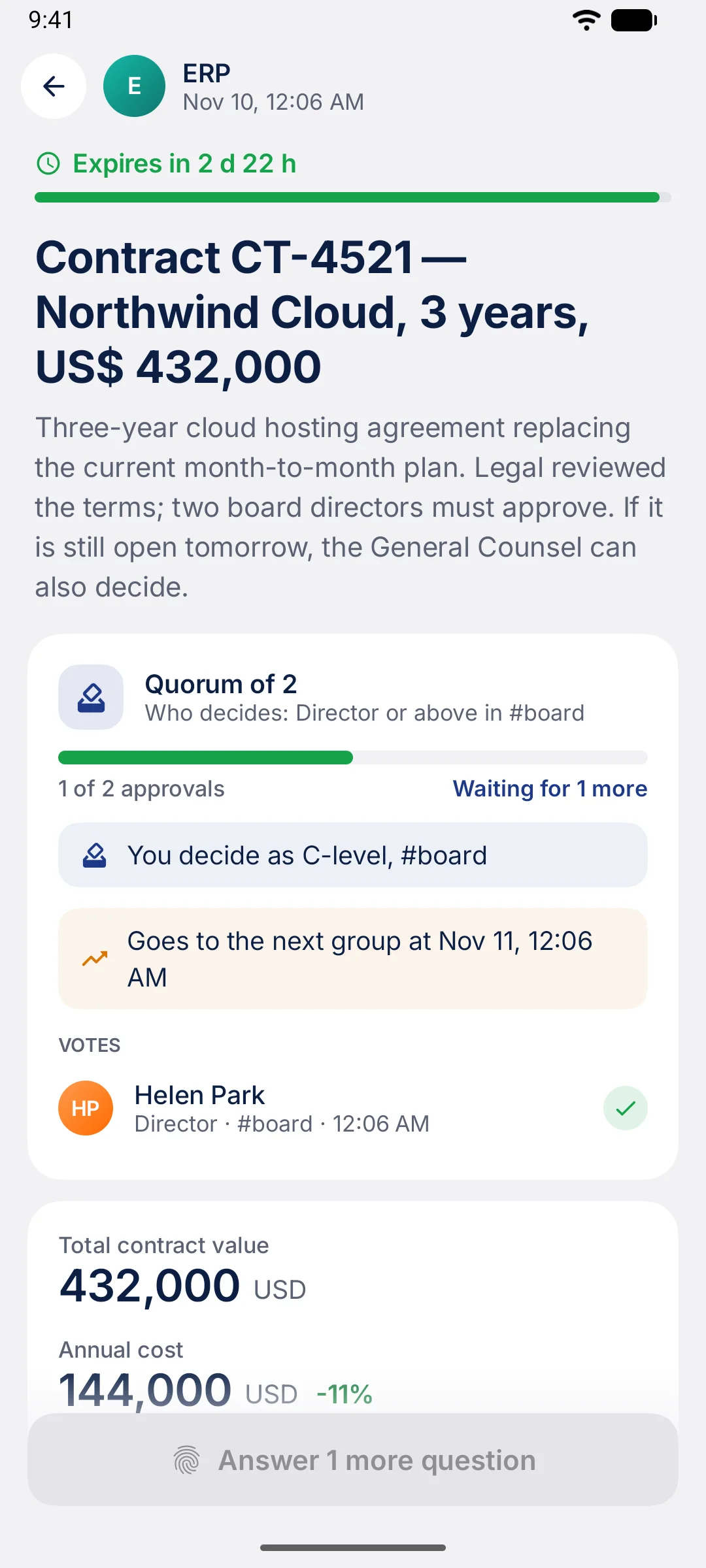
Quorum at a glance
Who decides, how many have approved and when it goes up to the next group.
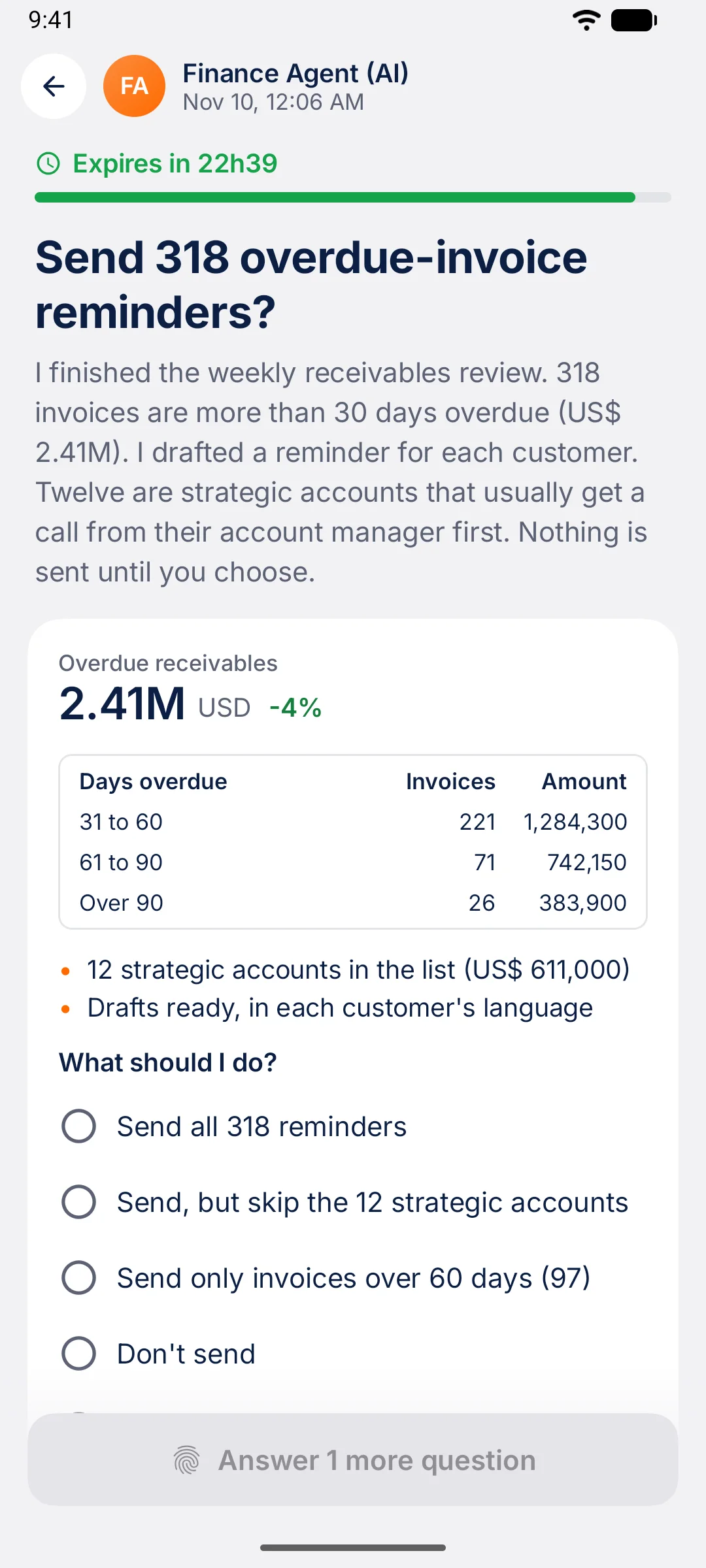
An agent asks first
The numbers, the options and nothing sent until you choose.
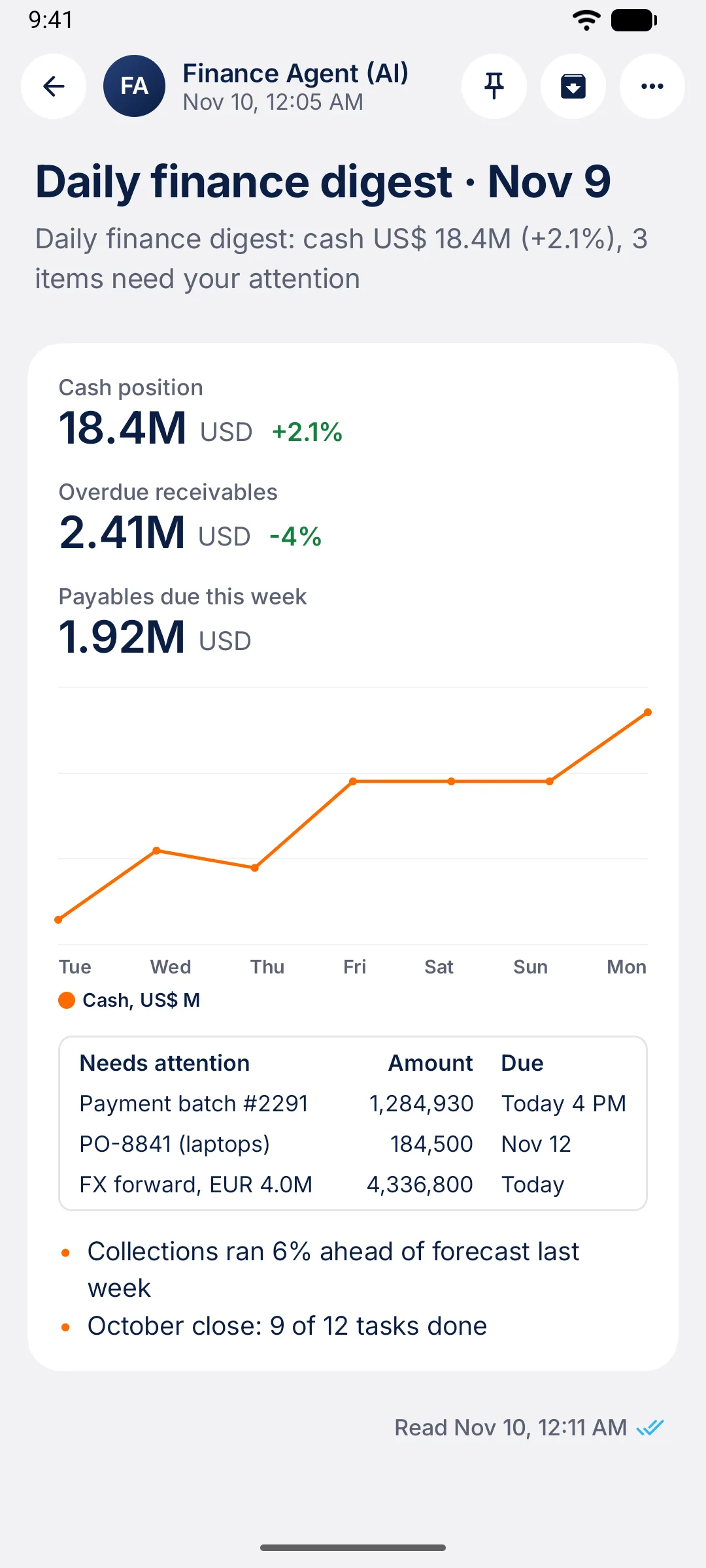
Context, not noise
Metrics, a chart and a table inside the notification itself.
Android app: coming soon on Google Play.
One inbox
Anyone can ask. A person decides.
notific.me is the inbox for decisions: the same place and the same proof, wherever the request comes from.
A person
An employee asks their manager to approve a purchase order or a document, from the web or the app. No code.
A system
Your ERP, your CRM or your deploy pipeline asks before it goes on, and waits for the answer.
An AI agent
The agent asks for permission before a sensitive action. Nothing happens without a human.
Endless possibilities
Plug it into any system. Reach people on any channel.
Every notification and every request from your company goes through one place, with the same rules and the same proof.
Comes in from
- TypeScript and Python SDKs
- REST API
- Incoming webhooks
- n8n
- AI agents (MCP)
- People, from the web or the app
Reaches people on
- Web app
- Phone, with push
- Android app
- Inside your own app
- Back to your system (webhook)
The protocol is open. If it has a screen or an API, it can become a channel or a source:
- ESP32
- iOS
- TV
- Tablet
- Your internal system
- Whatever you build
Use cases
What teams unlock with it
Every approval that depends on someone seeing a message in time.
Purchases and payments
Purchase orders, payments and refunds approved by whoever has the authority, and by two people when you require it.
Documents and contracts
A document, a proposal or a contract version approved with a signed answer instead of “see attached”.
People and HR
Time off, expenses and hiring steps without chasing the manager.
Access and permissions
Access to a system or to data is granted only after its owner says yes.
Deploys and incidents
Approve a production deploy or restart a service from your phone.
AI agent actions
Delete records, spend money, publish something: the agent asks first.
How it works
How it works
Someone asks
A person, a system or an AI agent sends a request with its context.
The rules decide who
Groups, authority levels and urgency define who gets it and who may answer.
The person answers
On the phone, with the options at hand. Biometrics or an authenticator code when it matters.
The next step runs
The signed answer goes back to whoever asked, and the work carries on.
Rule and proof
The rule comes first. The proof stays.
You agree on the rule beforehand, the answer is signed, and the next step happens by itself.
Rules set in advance
Who may decide, at which authority level, how many approvals it takes and who it goes up to if nobody answers.
A signed answer
Each answer records who gave it, when, on which device and how they proved it was them.
Automatic consequence, with proof
The system that asked gets the answer and continues. An evidence trail keeps delivery, reading and decision, and anyone can verify it.
Electronic signature
A signature you can see. A proof you can check.
Some decisions call for a signature, not just a tap. It is added on top of biometrics or the authenticator code, never instead of them.
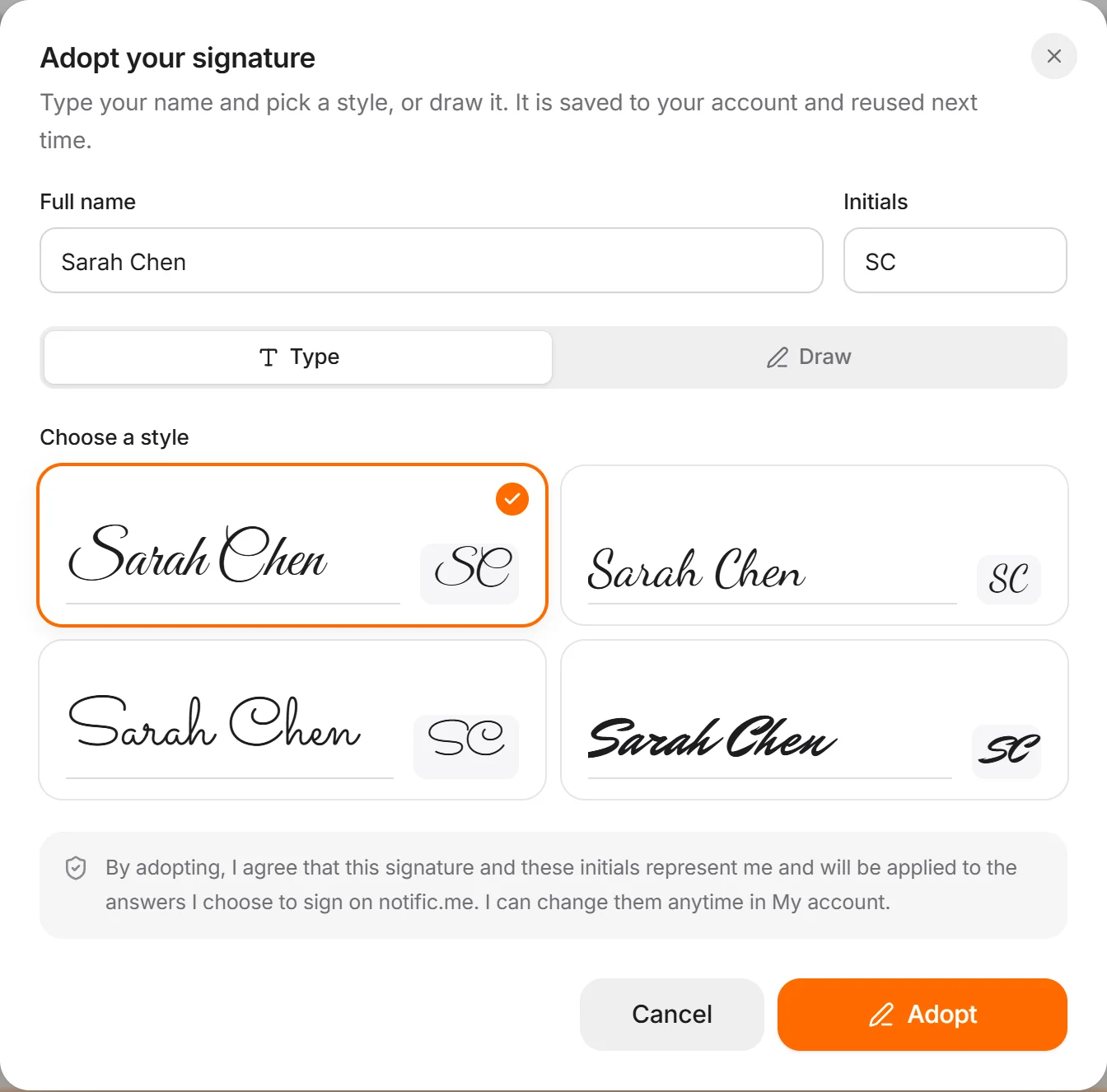
Adopt it once
Type your name and pick a style, or draw it, and add your initials. It is saved to your account and reused.
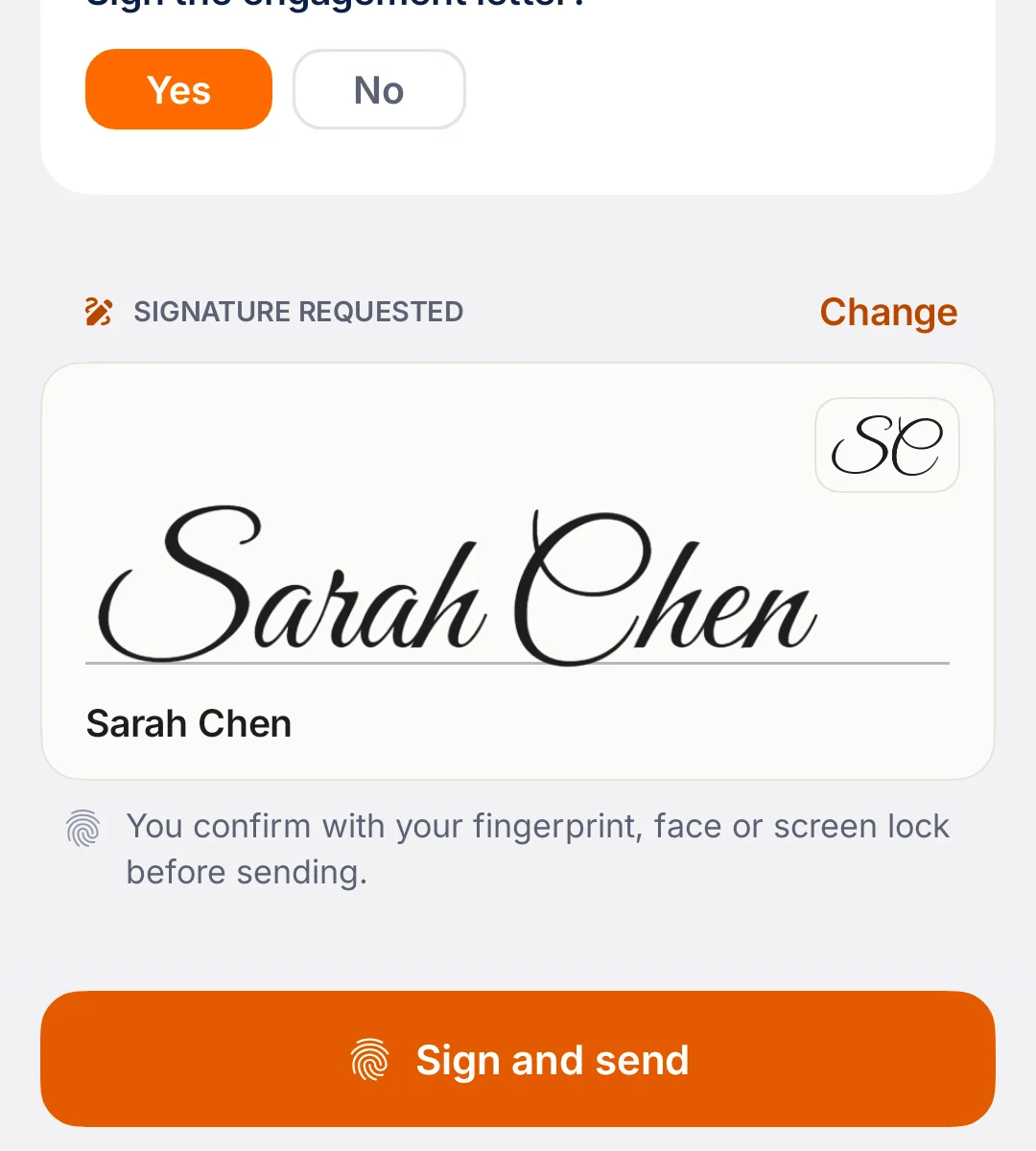
Sign when a request asks for it
Contracts, resolutions, engagement letters: the sender marks the request, and the button becomes “Sign and send”.
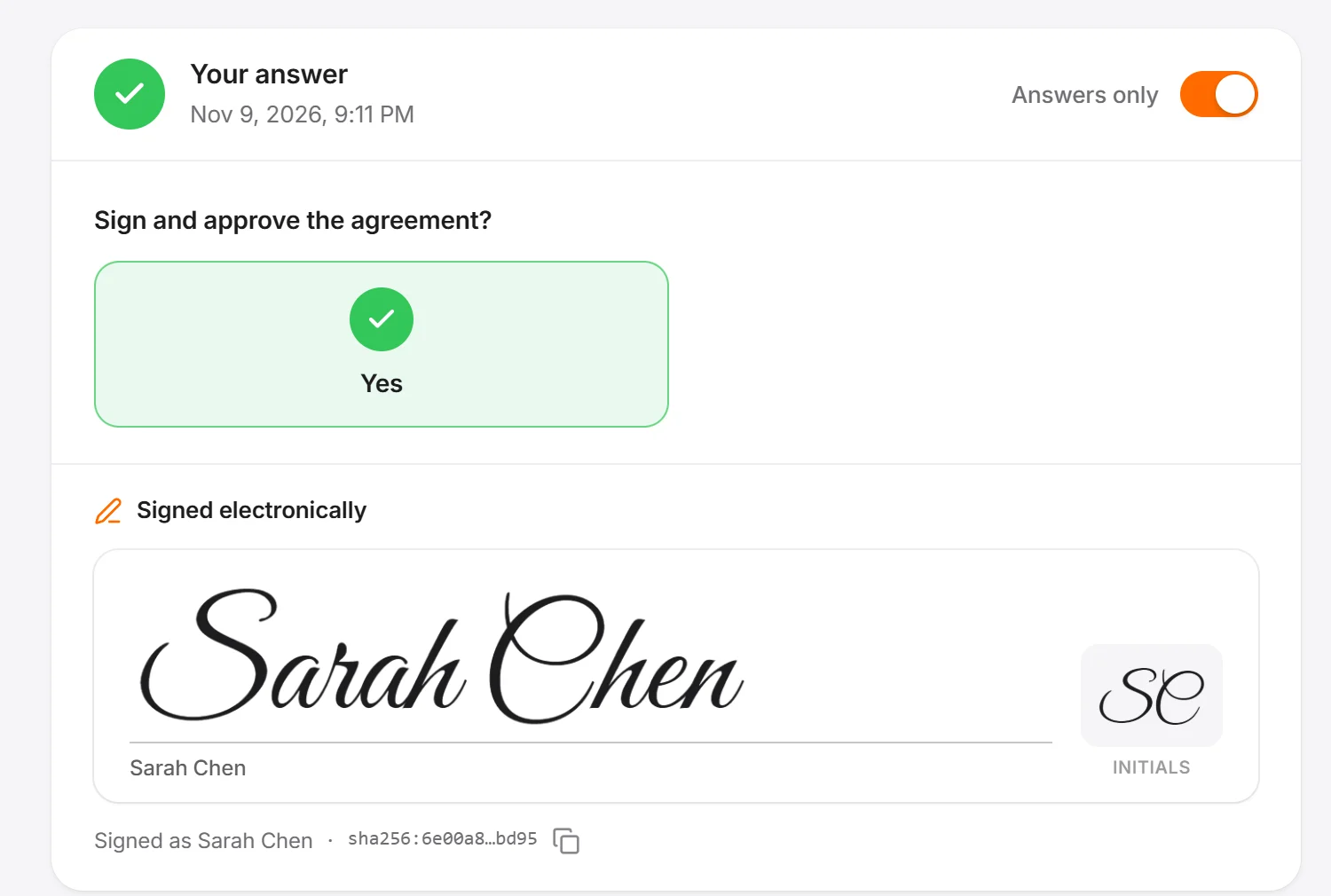
It stays on the receipt
The answer carries the signature and the initials, next to who answered, when and how. Changing your signature later does not change what you already signed.
Security
The heavier the decision, the stronger the proof
Whoever asks sets the minimum level. The organization can raise it, never lower it.
- 0Just tap
- 1Unlocked phone
- 2Biometrics or authenticator code
- 3Every action, online, short window
Coming soon: the app on Google Play and face verification for the heaviest decisions.
Developers
The SDKs are open source
You can read the code and the protocol today. Sending real requests needs a workspace, which comes with your early access invite.
npm install @notificme/sdkpip install notificme
const r = await notific.ask({
  title: "Purchase order #4821 — US$ 18,400",
  to: ["#purchasing"],
  questions: [
    { id: "approve", type: "yesno", text: "Approve the order?" },
  ],
  decision: { by: "#finance>=manager", rule: "quorum", required: 2 },
  escalate: [{ after: "30m", to: "#directors" }],
  level: 2,
});

if (r.status === "answered") releaseOrder(4821);
FAQ
Questions people ask
What is the second factor for decisions (2FD)?
Two-factor authentication confirms who is signing in. The second factor for decisions confirms who decided: a request reaches the person responsible, they answer on their phone with the proof the decision calls for, and the answer is signed and recorded.
Is notific.me only for AI agents?
No. People ask people, systems ask people and AI agents ask people. An employee can ask a manager to approve a purchase order from the web or the app, with no code at all.
How is it different from approving by e-mail or chat?
An “ok” in a thread gets lost, proves little and triggers nothing. Here the request arrives with context and options, rules define who can decide, the answer is signed, and the system that asked continues by itself.
What proof is left of a decision?
Each answer records who gave it, when, on which device and how the person proved it was them. An evidence trail keeps delivery, reading and decision for every request, and a signed receipt lets anyone check it without access to notific.me.
Do I need to write code?
Not to ask and answer between people: that happens in the web app and the mobile app. Code comes in when you connect systems and agents, with the SDKs, the REST API, n8n or MCP.
When can I start?
notific.me is opening access in waves. Join the list and we will write to you when it is your turn.
Early access · opening in waves
Be among the first teams to use it
Tell us what you want to unlock. It helps us decide who to invite first.
- Confirm your e-mail with the link we send.
- We invite in waves, starting from what you tell us here.
- Your invite comes with a workspace for your team.